
Product News
Updated Girder Clamp Configurator: Delivering Faster Decisions, Clearer Capacity Checks & Greater Flexibility

Many professionals still lose valuable hours manually cross-referencing beam tables, checking safe working loads, comparing coatings, verifying flange dimensions, deciding between clamp types, or determining whether a single product or a combination of products will satisfy the connection requirements.
It is repetitive work. Necessary work. But ultimately, work that slows projects down.
At Lindapter, solving these kinds of problems has always been central to what we do. From the beginning, our connection solutions were designed to reduce field drilling and welding, simplify installation, and help engineers work more efficiently. The same thinking has shaped our digital tools over the years, especially the Girder Clamp Configurator.
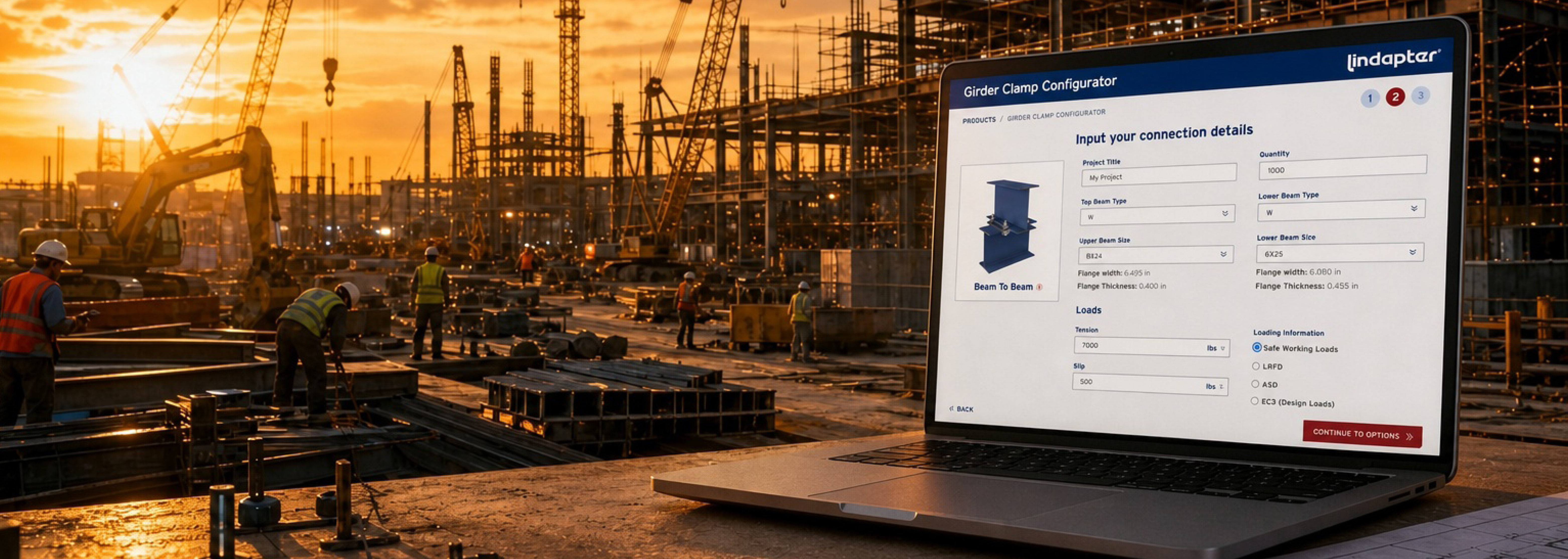
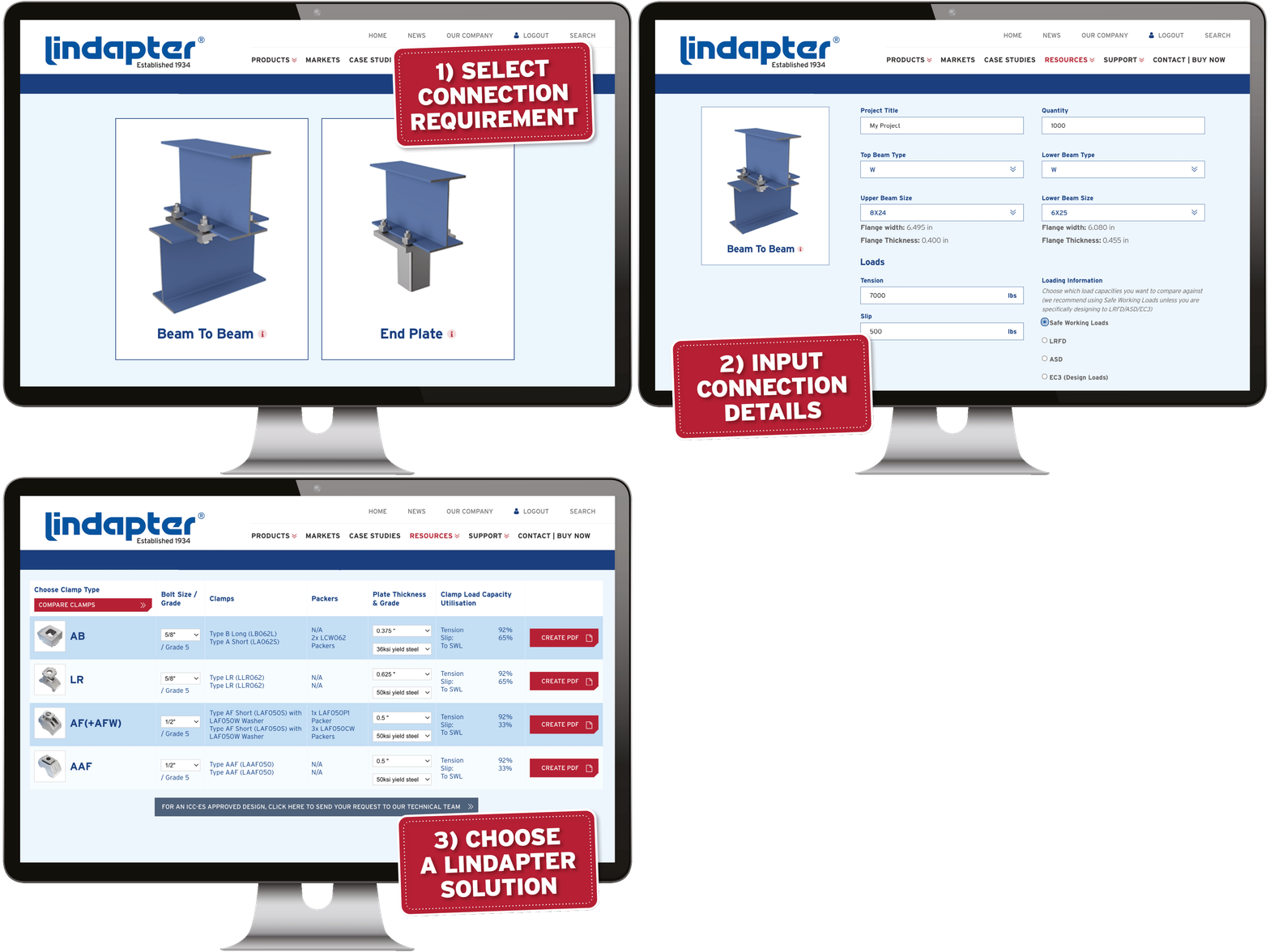
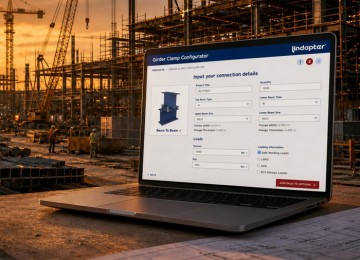
For those familiar with Lindapter products but not yet the tool itself, the Girder Clamp Configurator is an online design platform that allows engineers and distributors to quickly configure steel clamped connections using Lindapter products. It helps users identify suitable clamp arrangements, review capacities and produce detailed output sheets, all within a single workflow.
And while the configurator has evolved steadily over time, this latest update represents something much bigger.
Because although we continuously improve our tools, we also recognize that there is always a higher standard to aim for. Every update is driven by real user feedback, from engineers working under tight deadlines to distributors trying to match products quickly against available stock. The goal is always the same: remove friction, reduce manual work and make complex decisions easier.
With this latest overhaul, we have tried making critical information easier to find, compare and understand at speed.
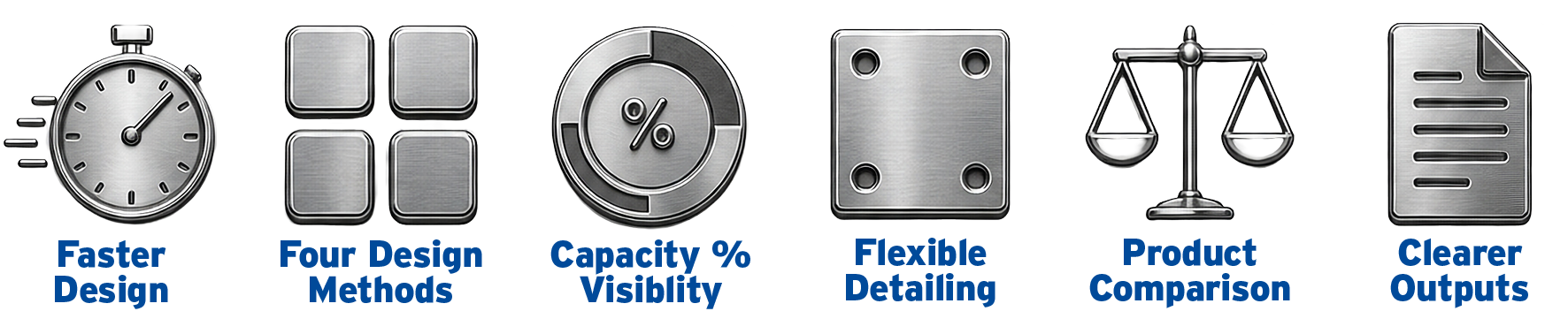
One of the most significant improvements is the addition of four distinct design methods within the configurator. This dramatically increases the range of connections that can now be designed inside a single platform, while also supporting higher connection loads as standard. Whether the project requires a conventional arrangement or a more bespoke approach, engineers now have far greater flexibility without needing to leave the tool.
But perhaps the most impactful enhancement is one requested by designers themselves: capacity percentage utilization across every check.
Rather than receiving a simple pass-or-fail result, engineers can now see exactly how close each aspect of the design is to its capacity limit. That visibility creates a much clearer understanding of how the connection is behaving, helping designers make more informed decisions, reduce unnecessary over-engineering and optimize specifications with confidence.
In practice, this means less guesswork and greater control.
Additional improvements throughout the configurator have also been introduced to reduce the need for external references and manual comparisons. Beam flange dimensions are now displayed directly within the tool, allowing users to verify section sizes instantly without consulting separate beam tables. All viable clamp options can now be viewed simultaneously, making product selection significantly faster, particularly useful for distributors aligning designs with available stock.
For projects requiring more nuanced detailing, engineers can now fully customize plate thickness and grade directly inside the configurator. Support for spacer plates for level adjustment is built in as standard, allowing real-world field conditions to be accommodated during the design stage itself.
The configurator also introduces a dedicated product comparison feature, enabling users to review key clamp characteristics side by side without leaving the workflow.
Even the final output documentation has been completely rebuilt.
The new output sheets now follow landscape orientation in line with common industry documentation standards. Drawings are clearer and easier to review, while the bill of materials now includes plates as standard alongside complete quantity breakdowns for all components. Loading data and calculations are presented in a cleaner, more auditable format, and drawing numbers now include date stamped drawing numbers to support version control and document management.
Taken together, these updates transform the configurator from a useful design aid into a far more powerful project workflow tool.
Key Benefits at a Glance
- Reduce manual cross-referencing and repetitive engineering checks
- Design complete clamped connections in less than one minute
- View all viable clamp options instantly for faster selection
- Check beam flange dimensions directly within the configurator
- See percentage capacity utilization across every design check
- Make more informed decisions and avoid unnecessary over-engineering
- Support higher connection loads and more complex configurations
- Compare clamp products side by side without leaving the tool
- Customise plate thickness and grade for field-specific requirements
- Generate clearer, more professional output documentation
- Improve version control with date-stamped drawing references
- Help distributors align product selections with available stock
- Streamline workflows for engineers working under deadline pressure
Need a connection designed for you?
The configurator puts powerful connection design capability directly into your hands, but sometimes you simply need the job completed quickly and professionally.
That is why Lindapter also offers a free connection detailing service alongside the tool. Simply provide the connection requirements and our technical team will deliver a complete checked design ready for use.
Whether you need a quick design check, a full connection schedule or support with a more complex application, our engineers are available to help at every stage of the project.
Find out more about free detailing.
How can we
help you?


Reasons to choose Lindapter
-

Save time and money
Clamping two steel sections together avoids time-consuming welding or conventional drilling and bolting.
-

Safer connections
Drilling and welding in the field is avoided, removing the need for hot work permits and encouraging safer site conditions.
-

High strength
Lindapter clamps are manufactured from high strength materials to resist high load requirements and harsh environments.
-

Industry leading approvals
Lindapter has earned a reputation synonymous with safety and reliability, gaining multiple independent approvals.
-

Adjustable
Quickly align steel sections by sliding the section into the correct position before tightening the Girder Clamp to complete the installation.
-

Free connection detailing
Lindapter’s experienced Engineers can detail a custom connection based on your specific requirements free of charge.
You must have a Lindapter account to access this content
Log in to your account
Register for an account
Don't have an account?
Click here to registerAlready registered?
If you have registered for an account but have not received your confirmation email, please click here to resend.

Headquarters
Lindapter InternationalLindsay House, Brackenbeck Road
Bradford, West Yorkshire
BD7 2NF
United Kingdom Map and directions
news
- Environmental Policy
- T&Cs
- Privacy
- Cookies
- © Lindapter International 2026. All rights reserved.